
Maximize your gaming FPS with EDB Tweaking Utility v1.01
Speed up your Windows PC, clear out background bloat and squeeze more FPS out of your favourite games – start free, upgrade when you want the full kernel engine.
ONE APP. FREE + PREMIUM.
See EDB Tweaking Utility in action.
A short muted tour of EDB Tweaking Utility. Home, Free, and Premium.
EDB Tweaking Utility v1.01
Windows 10 / 11
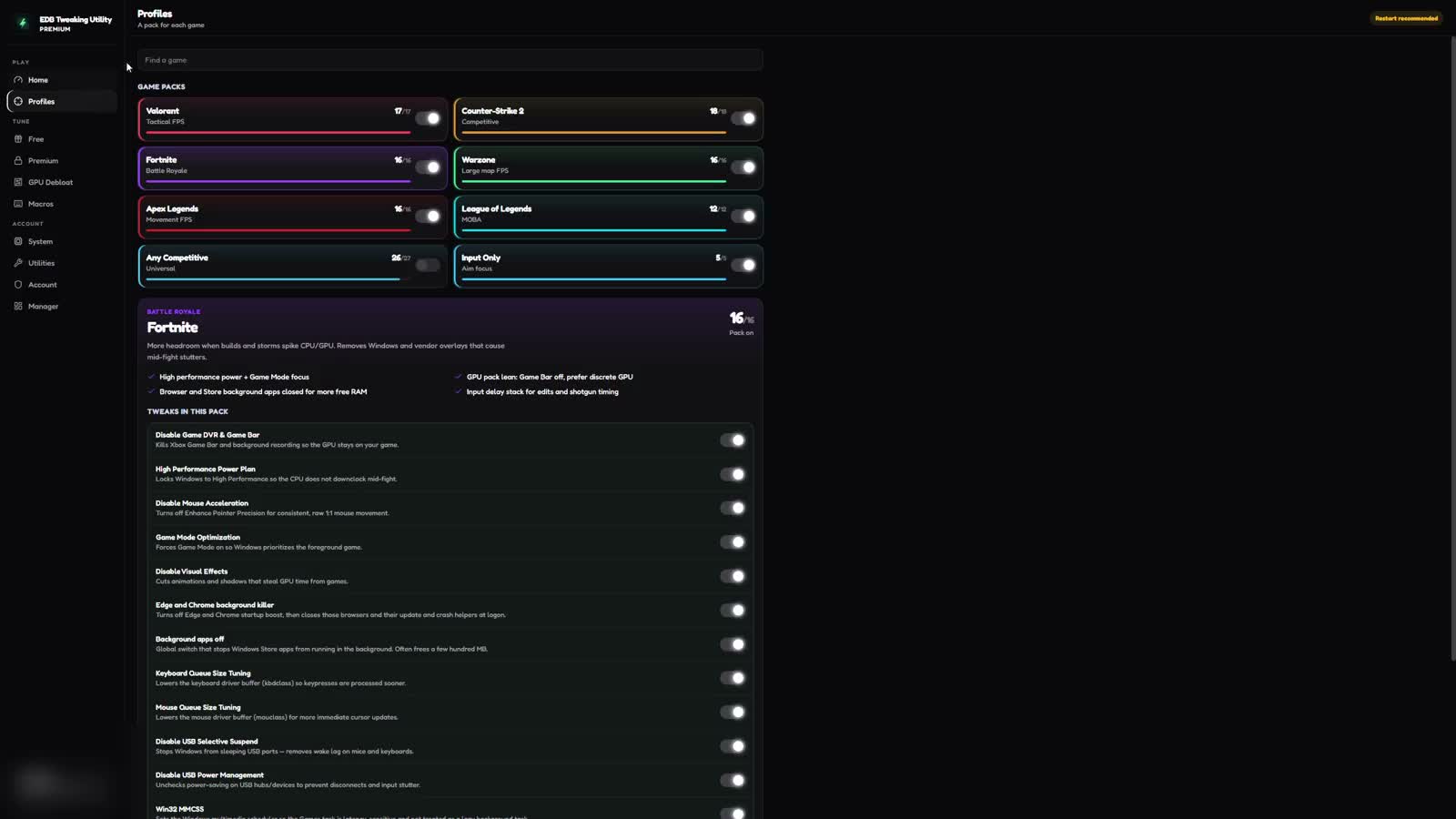
Email and the System page are covered. The video has no sound. Preview only — controls shown here do not change your PC.
What the desktop tool does
A lightweight Windows app that applies proven optimizations safely.
Privacy & telemetry
Disable DiagTrack, error reporting and background data collection in one click.
Service tuning
Turns off background work that is safe to stop. Windows Search, SysMain, and Print Spooler stay on.
Network & DNS
Apply fast DNS resolvers, flush caches and run built-in latency ping tests.
Performance tweaks
Toggle each tweak individually or turn everything on – your settings persist between sessions.
Kernel Optimization
Kernel Optimization changes how Windows schedules CPU time for games. It prefers foreground programs, keeps cores from parking, limits deep idle, turns off power throttling, marks the game task as latency-sensitive, and allows a 1 ms timer. Dynamic Tick and Spectre/Meltdown mitigations are not touched. A restart is needed for the kernel-in-RAM switch.
Packs
Three packs. Each one is a short list you can turn on or off.
Input Delay
Keyboard queue, mouse queue, and USB power. Mouse acceleration stays on the free list.
Ping
Nagle off, CTCP, network throttle off, and interrupt moderation off.
Kernel
Scheduling, core parking, power throttling, MMCSS, a 1 ms timer, and memory compression. No Dynamic Tick. No security mitigations.
Simple, transparent pricing
Prices include VAT. All prices in EUR.
EDB Tweaking Utility v1.01 — Free
- 10 free tweaks — all fully reversible
- Telemetry off, Game DVR off, Game Mode on, mouse acceleration off
- Browser and Store background apps off
- Foreground CPU reserve and keep the kernel in RAM
EDB Tweaking Utility v1.01 — Premium
- Everything in Free, plus:
- Kernel pack — scheduling, core parking, MMCSS, 1ms timer, memory compression
- Input pack — keyboard and mouse queues, USB power
- Ping pack — Nagle off, CTCP, network throttle, interrupt moderation
- 40 tweaks total, with full 1-click reversal
Unlocks the rest of EDB Tweaking Utility
Monthly
Flexible access, cancel anytime
- Full EDB Tweaking Utility toolkit
- All tweak modules & DNS optimizer
- Personal license key
- VAT-compliant invoices
Annual
2 months free vs. monthly
- Everything in Monthly
- 2 months free every year
- Priority update access
- One renewal per year
Duo Monthly
2 license keys for 2 PCs
- 2 license keys (2 PCs)
- Full EDB Tweaking Utility toolkit
- All tweak modules & DNS optimizer
- VAT-compliant invoices
Duo Annual
2 keys, 2 months free
- 2 license keys (2 PCs)
- Everything in Annual
- 2 months free every year
- Priority update access
Up and running in minutes
Download EDB Tweaking Utility
Download EDB Tweaking Utility and turn on the 10 free tweaks.
Upgrade to Premium
Buy a Premium key for €5 a month to unlock the kernel, input, and ping packs.
Activate
Open your email, copy the key, and activate EDB Tweaking Utility on your PC.
Frequently asked questions
Quick answers about EDB Tweaking Utility, licensing and safety.
Is EDB Tweaking Utility safe for my PC?
Yes. Every tweak is reversible and the tool creates a system restore point before making any change, so you can always roll back.
What is the difference between Free and Premium?
Free applies 8 safe, reversible basics so your PC feels lighter. Premium unlocks the Kernel, Input Delay and Ping packs — 30 tweaks in total with full one-click reversal.
How do I activate Premium?
After checkout your license key is issued automatically and emailed to you. Download the app, open it and paste your key — one key per PC.
Does Windows show a warning when installing?
A SmartScreen notice can appear for newly released apps. The tool is safe — click More info, then Run anyway to install.
Can I use one license on two PCs?
Each key works on one PC. The Duo plan gives you two keys for two computers.